
How to do a full reinstall of Filteronme for Mac
A full reinstall is required for most upgrades on Mac.
-
With Filteronme open, go to the top left corner menu and click on Advanced, go to Uninstall Extension (this is available on Filteronme 2.1 & up, skip if on an older version)
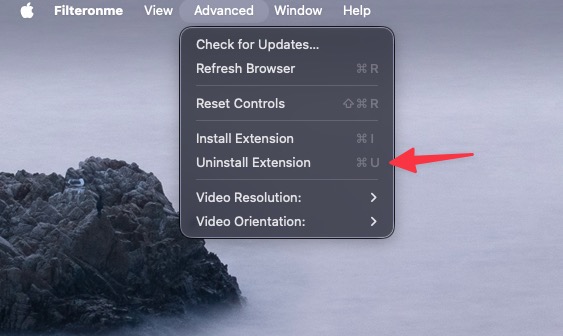
- Delete Filteronme from the Applications folder
-
Confirm the removal of the extension (if needed)
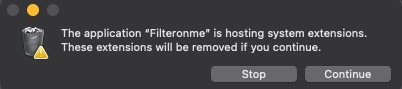
- Reboot your computer
- Confirm the virtual Filteronme camera is not available (in Facetime, Zoom, Discord or other apps).
- Download the latest from https://www.filteronme.com/download-mac
- Follow install instructions.
Looking for the older version? It can be found here.